
For clinics and doctors
Everything your practice needs to issue notes people trust.
A reception app for the front desk, an Android app for your doctors, and a public check that anyone can use. Set up once, and every note your clinic issues can be verified.
Reception app
Runs in the browser at the front desk.
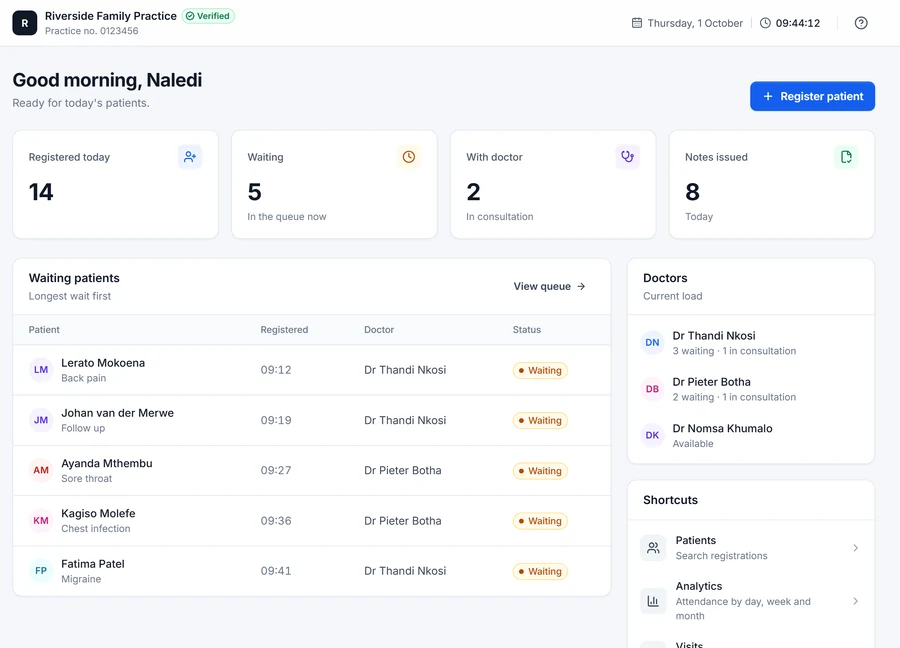
- Check patients in with their South African ID number and add them to a doctor’s queue.
- Watch the queue update as doctors start consultations.
- Search patients and see their visit history.
- Attendance figures by day, week, and month.
- Approve your team. Staff and doctors join only once a clinic admin says yes.
- An activity record that can’t be edited.
Doctor app
For doctors, on Android.
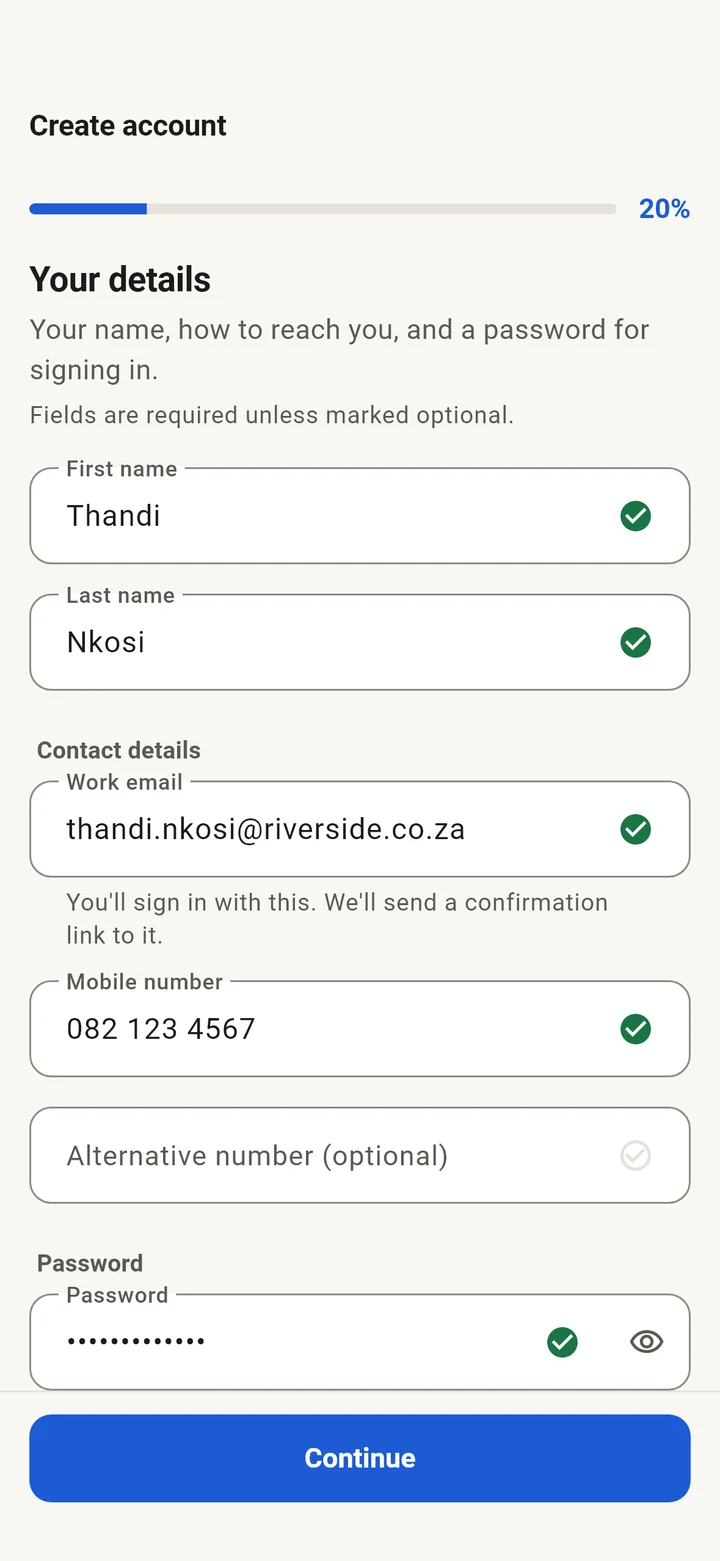
- Register in five short steps, with a green tick as each detail is filled in correctly.
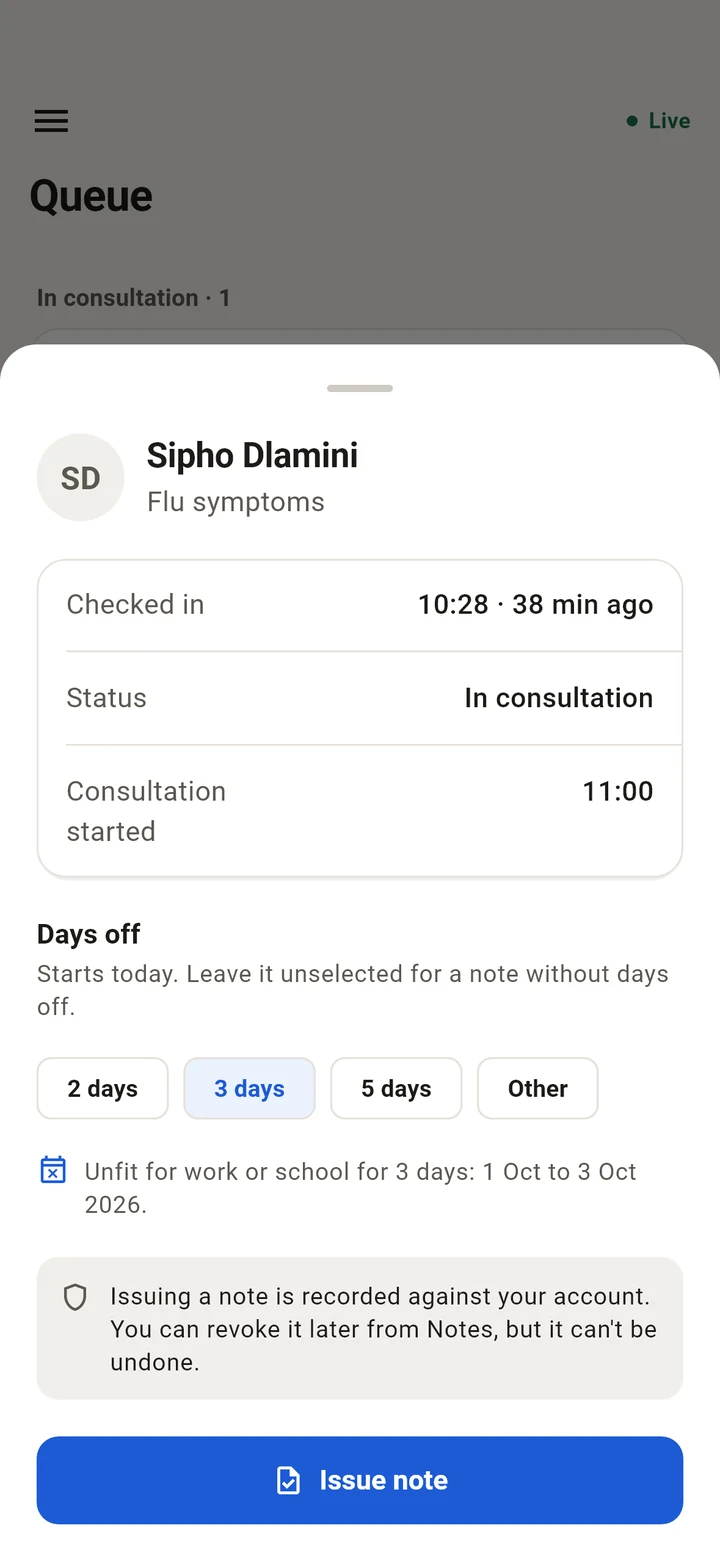
- Your queue, live, with an alert when a patient is checked in for you.
- Issue the note from the patient’s screen, with days off and exact dates.
- Share it by WhatsApp, or show its QR code.
- Reissue or revoke a note when something needs correcting.
Getting started
Three steps, then every note is verifiable.
Register your clinic
Sign up at app.licitnote.com with your clinic’s name, practice number, and address. We review and approve new clinics.
Your team joins
Reception staff sign up and choose your clinic. Doctors register in the app with their HPCSA number and practice details. Your clinic admin approves each one.
We verify each doctor
We check every doctor’s HPCSA registration before they can see patients or issue notes.
Ready when you are.
Questions about setting up? Email support@licitnote.com and a person will reply.